
Vertical video, without the usual trade-offs
Most of what gets filmed is wide: a 16:9 camera, a phone held sideways, a screen recording. YouTube Shorts, Instagram Reels, TikTok and Facebook Reels want the opposite, a tall 9:16 picture that fills the phone.
NineSixteenAI closes that gap in your browser. Open a video, choose what the tall frame should show, cut it into parts, add a title and download the Shorts. There is no upload, no watermark and no account.
Four principles behind the tool
Private by design
Your video is processed on your own computer. It is never uploaded to us or to anyone else.
Free and clean
No watermark, no sign-up and no limits on how many Shorts you make. The site is supported by advertising.
AI that helps, you decide
The AI keeps people in frame, and you can correct any moment by hand. We explain how it works in plain words.
Made for real workflows
Long videos, many parts, titles, music and voiceover: the features come from how creators actually make Shorts.
From a wide video to Shorts in three steps
- 1
Open your video
Drop in any wide or long video, including 4K. It opens instantly because nothing is uploaded.
- 2
Frame it
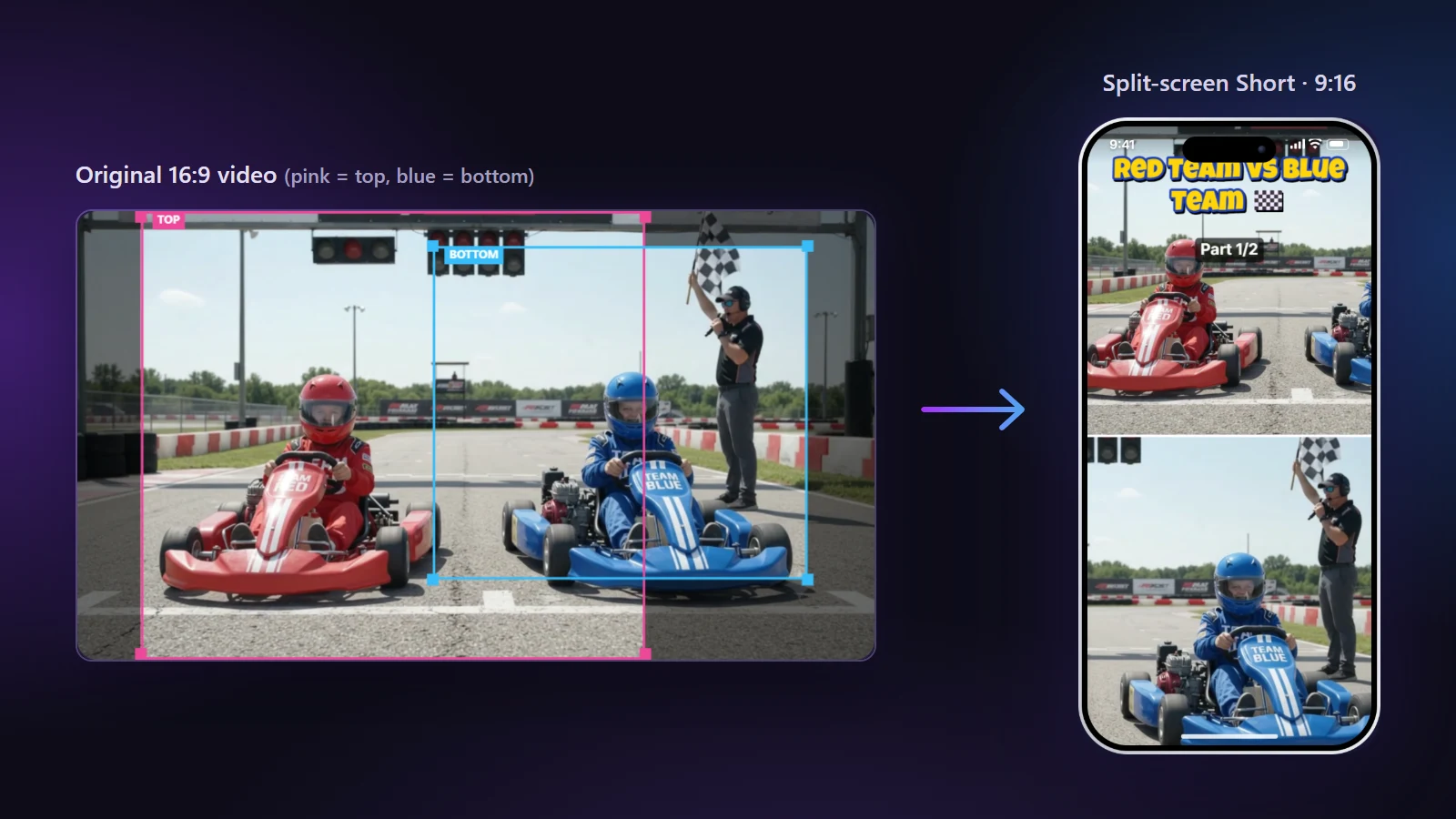
Pick Center Crop, Split Screen or Blur Fill. Let the AI follow the action, or drag the frame yourself.
- 3
Export
Cut long videos into parts, add a title or music, and download 1080×1920 MP4 files ready to post.
Pankaj Kalra
Founder and developer
Designs, builds and maintains NineSixteenAI, and writes the guides on this site. I also make videos for my YouTube channel, Red Blue Kids TV, and use this tool for my own Shorts.
Why I built it
NineSixteenAI started with a problem I had every week. I make long videos for my YouTube channel, Red Blue Kids TV, and I wanted Shorts and Reels from each one. Doing that by hand took far more time than it should have.
I tried the usual routes. Online editors wanted my video uploaded first, and with 4K files that meant waiting before I could even start. Desktop editors avoided the upload, but turning a wide video into a good vertical one there means moving the crop by hand through every shot, which needs editing skill and a lot of patience.
So I wrote my own tool. The AI suggests where the vertical crop should sit in each moment so people stay in frame, and the long video is cut into Shorts ready to post. I still decide which moments to use and adjust a shot when I want to. And because it all runs in the browser, nothing is uploaded and my videos stay on my computer.
I use it for my own Shorts every week. It gives me back time I now spend on the long videos, and I made it free so other creators can save that time too.
Accuracy and corrections
We test features with real videos before release and update guides when platforms change their rules. If you find a mistake, write to support@ninesixteenai.com.
Independence
NineSixteenAI is not affiliated with, endorsed by or sponsored by YouTube, Google, Instagram, Meta or TikTok. Their names are used only to describe the video formats the tool makes.