
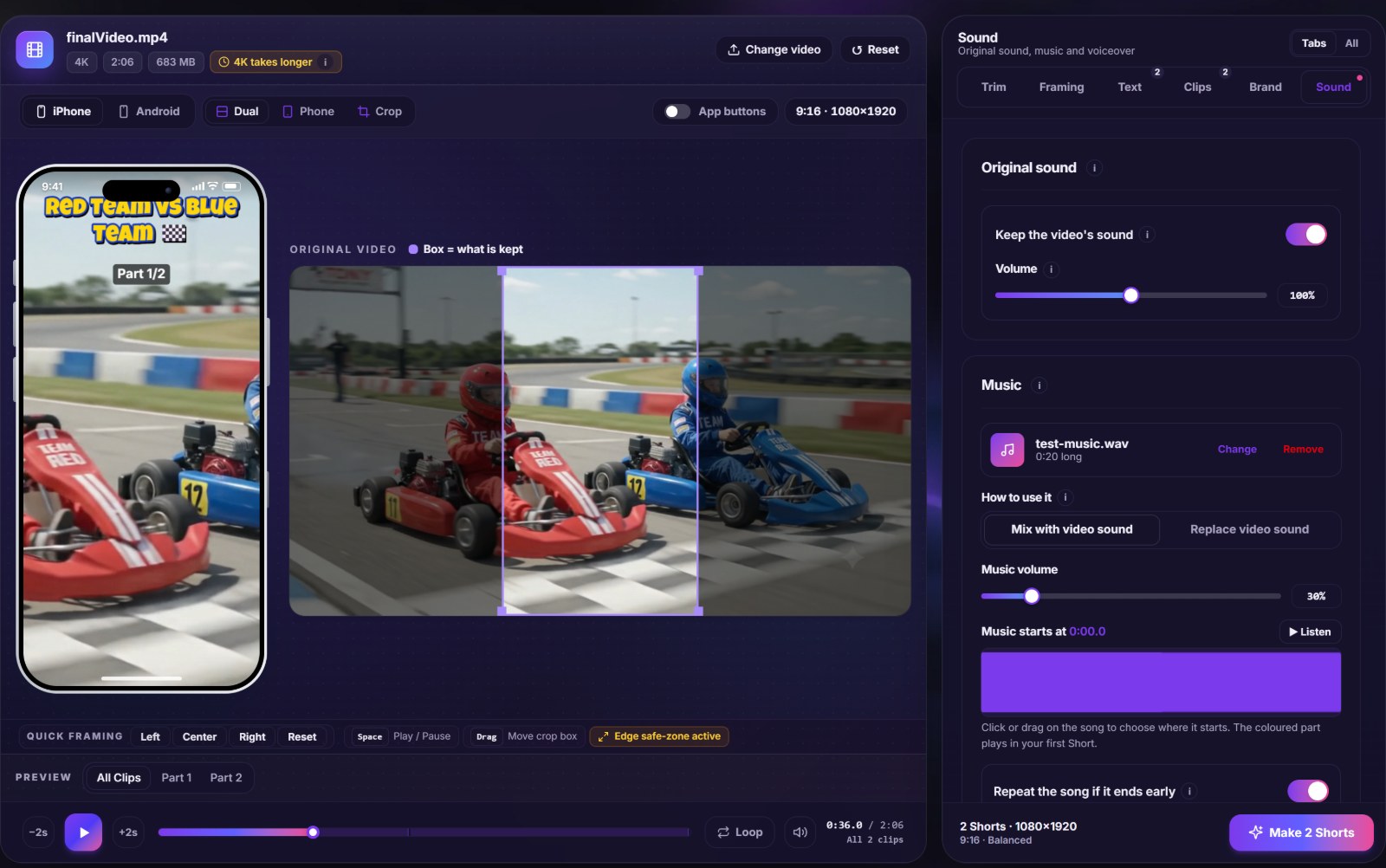
The Sound tab is where a silent screen recording becomes a finished Short. You can keep the original sound, replace it, lay a song underneath, record your own voice on top, and balance the three so each one can be heard.
Four layers of sound
- Original sound: keep it, turn it down, or remove it completely.
- Music: add a file from your device and choose the exact second of the song where it starts.
- Voiceover: record straight into the video with your microphone.
- Fades: bring the picture and the sound in and out so a clip does not start or stop abruptly.
Recording a voiceover
Press record, wait for the short countdown, and talk while the video plays, so your words line up with what is on screen. A level meter shows that the microphone is working, and you can listen back before you keep it. If a sentence goes wrong, record again; the new take replaces the old one. The recording stays in your browser and is mixed on your computer.
Making music and speech share the space
A loud song under a quiet voice is the most common audio mistake. Two settings help:
- Lower the music while people talk. The music dips under speech and comes back in the pauses.
- Separate volumes. Set the original sound, the music and the voiceover individually. Music is usually comfortable well below the voice.
Choosing the start of the song
Most songs take several seconds to get to the part people know. Instead of using the beginning, set the start point to the chorus or the first beat that fits your video. If the video is longer than the clip of music you chose, plan the length so it does not end mid-song.
Where the sound is applied
When you split a long video into parts, the sound settings are applied to every part. The music starts again at your chosen point in each one. That keeps a series consistent, and it is also a reason to listen to the first and last part before you download everything.
Music you may use
The tool does not judge a file. A song from a streaming service is not yours to post. Music you made, music you licensed for video, and music offered under a licence that allows it are fine. See music for Shorts without copyright problems for how claims work and where to look.
Mistakes to avoid
- Recording a voiceover in a room with an echo or a running fan. Quiet and close to the microphone beats any fix.
- Leaving the original sound on at full volume under a voiceover.
- Choosing music with its own vocals under a talking video.
Open the music and voiceover tool, or read the guide to recording a voiceover for Shorts.