
YouTube Shorts is where many creators first turn a long video into something small. The usual starting point is a channel with horizontal videos that already did their job and a library of moments worth a second life. This page is the workflow for that: from a wide video to Shorts that look made for the format.
What a Short needs
- A vertical 9:16 picture at 1080×1920, which fills a phone screen.
- A strong first second. Shorts are swiped past quickly, so the opening has to say what the clip is.
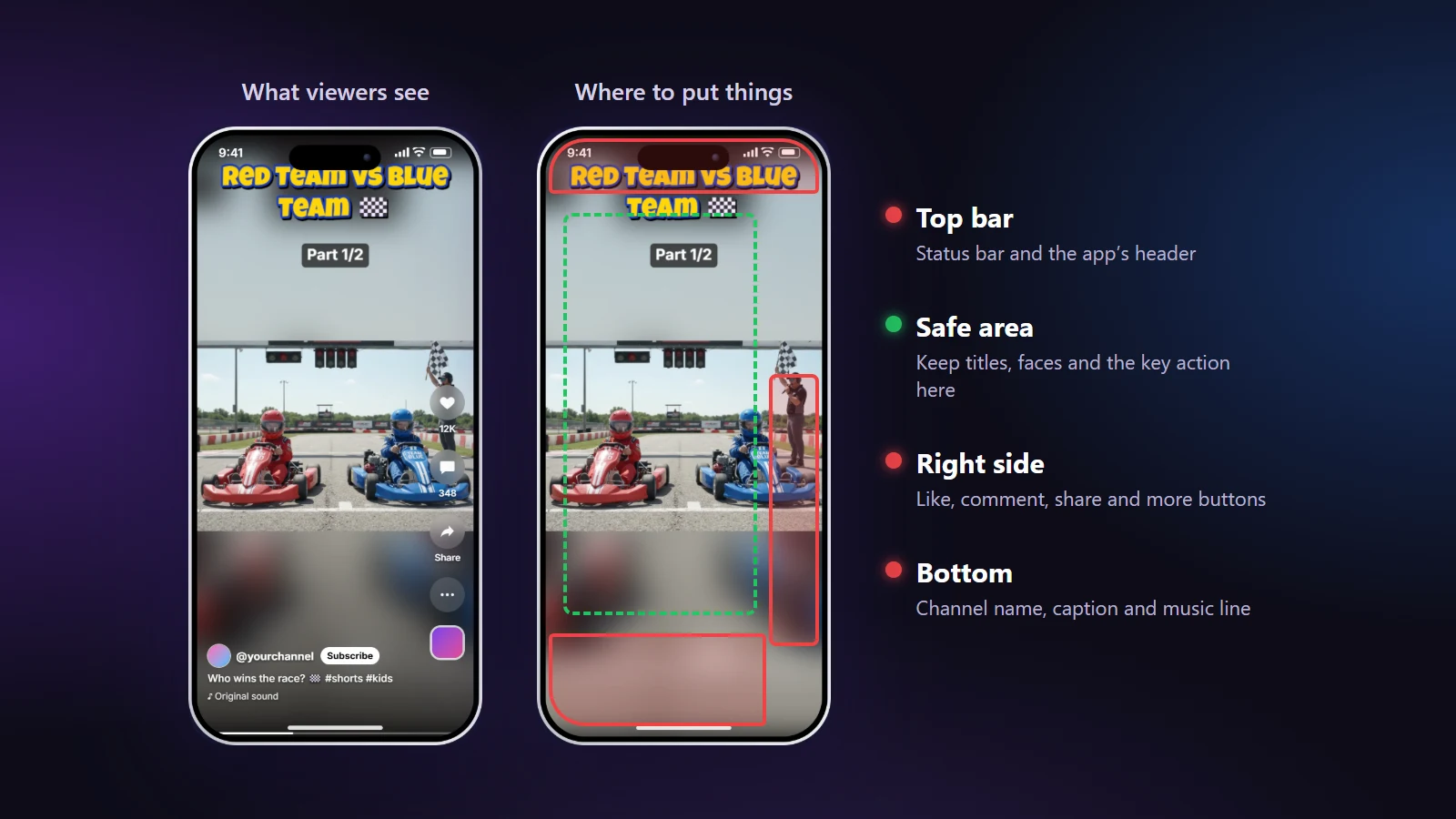
- Text that survives the interface. The Shorts screen puts buttons on the right and the title and channel at the bottom.
- One idea per Short. A clear start and end beats a clipped middle.
The workflow, step by step
- Choose the moments. Watch your long video once, with a note open, and mark the times where something happens by itself: a joke, a result, a reaction, a surprise.
- Open the video in the YouTube Shorts maker and trim the start and end.
- Pick the layout. One person moving: Smart Crop. Two people: Split Screen. A screen or a view: Blur Fill.
- Set the cuts. Use "My times" for hand-picked moments, or a fixed length for a series.
- Add a title in the part of the frame the interface leaves free, and your logo if you use one.
- Export and upload from your phone or the YouTube website.
Choosing the layout for your kind of channel
| Your video | Layout that tends to work |
|---|---|
| Vlog, tutorial with a presenter | AI Smart Crop, so the presenter stays in frame |
| Interview or two-person show | AI Split Screen |
| Gaming, software demo | Blur Fill, so the interface is not cut |
| Landscape, travel | Blur Fill or Letterbox |
Titles and captions
Put the hook in words in the first second: the question, the result, the surprise. Keep it to a short line at the top of the clear area and use a thick, high-contrast font. Check it in the phone preview with App buttons switched on; the editor shows where the interface will sit.
Mistakes that cost views
- A slow intro. If the first two seconds are a logo or a greeting, cut them in the Trim tab.
- Text too close to the bottom. The title and channel name cover it.
- Cutting a clip in the middle of a sentence because the length was fixed.
- Using the same cut length for every video instead of the length the idea needs.
Before you upload
- The first second shows the point of the clip.
- Faces and text are inside the safe area.
- The sound is balanced: speech clear, music lower.
- The clip ends on its last idea, not mid-thought.
For the numbers behind the format, read YouTube Shorts size, length and specs, and how long a Short should be.