
Split into parts turns one long video into a series of short clips. It is the feature to reach for when the recording is longer than any short-video app wants, or when you want a week of posts out of one session.
Three ways to cut
| Mode | You decide | Good for |
|---|---|---|
| Every… | The length of each part: 15 s, 30 s, 1 min, 1.5 min, 2 min, 3 min, or your own number of seconds | Steady series with the same length |
| Equal parts | How many parts | "Split this into five", when the count matters more than the length |
| My times | The exact start and end of every clip | Picking highlights out of a long recording |
The leftover problem
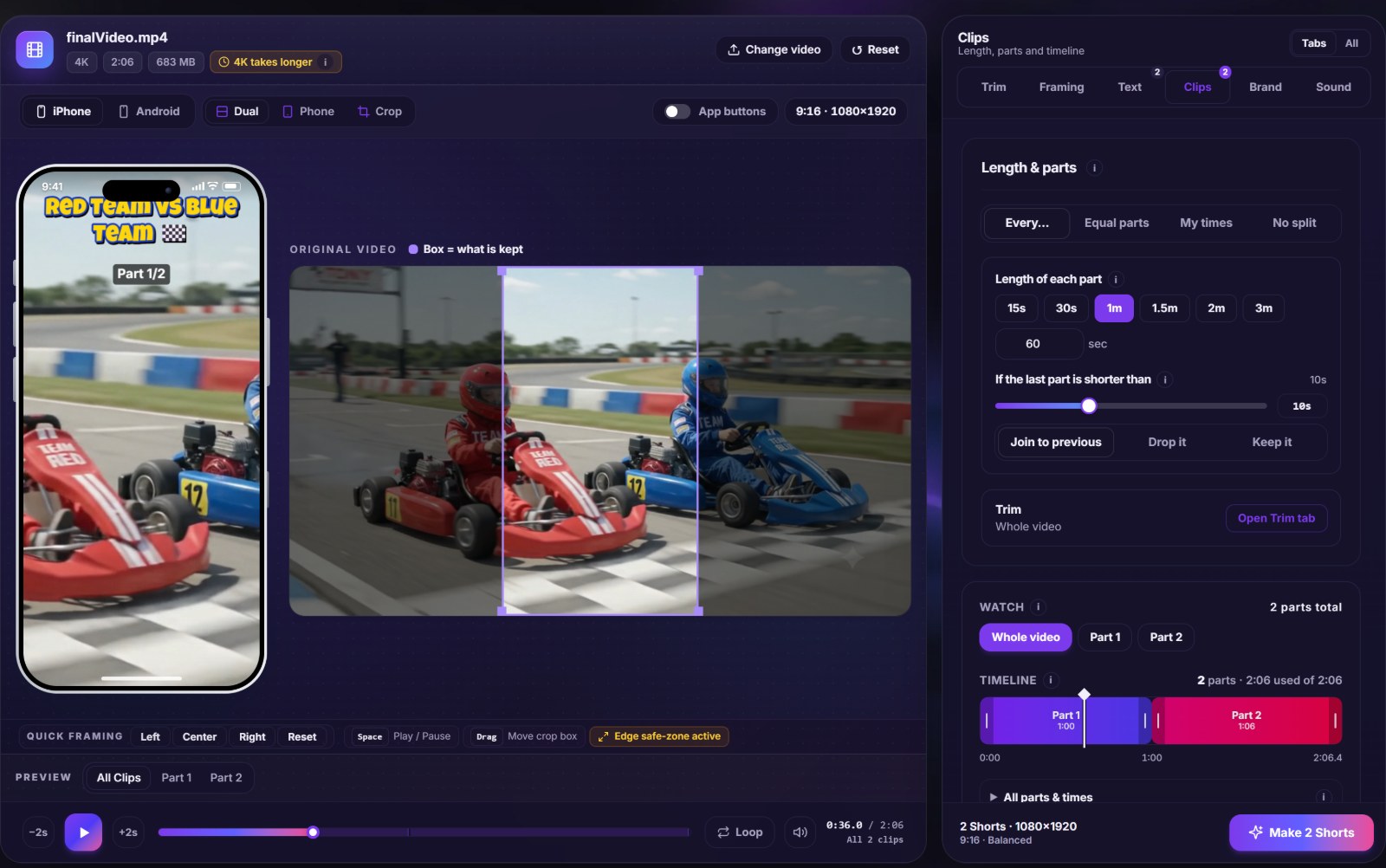
Cutting 2 minutes 6 seconds into one-minute parts leaves 6 seconds at the end. A clip that short is rarely worth posting. The last-part rule gives you three answers: join to previous (the second part becomes 1:06 long), drop it, or keep it as its own clip. A threshold slider sets how short counts as too short.
The timeline tells you the truth
Below the settings, a timeline shows every part as a coloured block, with striped areas marking the parts of the video that will not be used. You can watch a single part, play all of them in order, and drag the edges of a part to adjust where it starts and ends. It is the quickest way to notice that a cut falls in the middle of a sentence.
Cutting well, not only evenly
- Trim first. Remove the dead start and end in the Trim tab so the parts are counted from where the content begins.
- Cut at pauses. If a fixed length lands mid-sentence, move that part's edge by a second or two.
- Number the series. Part labels such as 1/3 tell viewers there is more, which is a reason to watch the next one.
- Match the platform. Pick the length from the app you post to, not from the length of your video.
What you get
Each part is exported as an MP4 of its own, named in order. Download them one by one or take all of them in a single ZIP. Because every part uses the same settings, the series looks consistent: same layout, same text style, same logo.
Mistakes to avoid
- Cutting a story in half. If a part ends on a cliffhanger by accident, viewers do not follow.
- Making twenty parts of 15 seconds from a talk that works better as five parts of a minute.
- Forgetting that music and titles are applied to every part. Check the first and the last.
Open the video splitter to cut your own video, or read how long a Short should be before you choose a length.